
Battlefield 6 Cheats with Aimbot and ESP
Review the documented Battlefield 6 menu controls, Windows requirements and monthly or lifetime plan options before checkout.
Product Overview
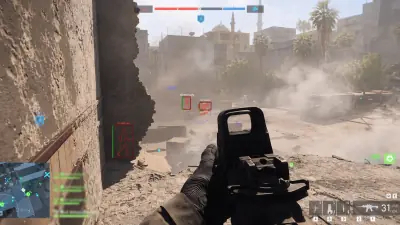
At a glance
Key capabilities
What Battlefield 6 Cheats focuses on before you open the full module list.
Plus 8 additional documented controls. See the full list below.
Overview
Battlefield 6 Cheats for Windows PC
How the documented aim, visual and configuration controls fit together.
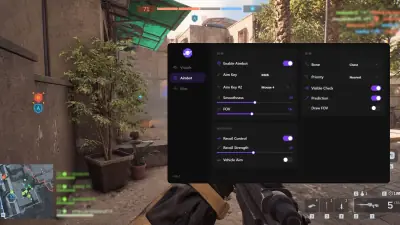
BF6 Cheats groups the documented aim and visual controls into one menu. The source lists Aimbot toggles, bone selection, aim binds, smoothness, FOV and distance controls, together with player and bot ESP options.
The product source lists Windows 10 and 11 on Intel or AMD, monthly access at $35 for 30 days, and one-time lifetime access at $150. Review the current requirements and the EA rules before using third-party software.
This product page covers the Battlefield 6 aim and visual controls listed in the approved feature source: Aimbot settings, player and bot ESP, crosshair controls and configuration options.
Tune before you queue
The menu source lists aim binds, smoothness, FOV, distance controls, visible checks and multiple ESP display settings. Use only the current product instructions and review the game rules before use.
Plans and access
Choose monthly access for $35 and 30 days, or one-time lifetime access for $150. The available plans and product details should be checked again before checkout.
Module layout
The documented menu includes Aimbot toggles, bone selection, target filters, visible checks, player and bot ESP, crosshair controls, configuration actions and menu bindings.
Modules
What's included
The documented controls and requirements listed for Battlefield 6 Cheats.
- Toggle Aimbot and Aim Always
- Bone selection: head, neck, body and pelvis
- Custom aim bind and smoothness
- Custom FOV and distance controls
- Target bots and target teams
- Visible check and FOV border/background
- Player ESP and Bot ESP
- ESP distance, health bar, skeleton, snapline and box
- ESP names and distance labels
- Crosshair style, size and thickness controls
- Config save, load, share and delete
- English and Chinese menu options
- FPS limit, menu bind and unload bind
- AWS and Cloud-DMA options listed in the product source
- Windows 10/11 on Intel or AMD
Experience
A clear product view
Review the documented aim, visual, crosshair and configuration controls before you choose a plan.
Feature preview
- Layer A
Aim menu over gameplay
Supplied gameplay screenshot with the supplied menu screenshot layered in front.
- Layer B
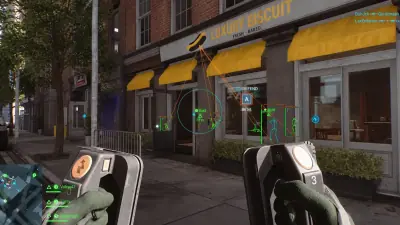
City gameplay view
Supplied Battlefield 6 gameplay screenshot from an urban map.
- Layer C
Urban visual view
Supplied Battlefield 6 gameplay screenshot showing a street-level encounter.
- Layer D
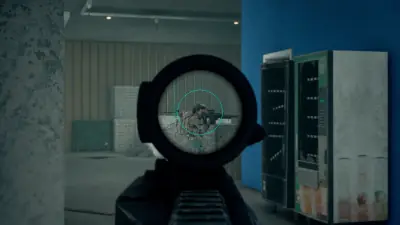
Scoped aim view
Supplied Battlefield 6 gameplay screenshot from a scoped perspective.
- Layer E
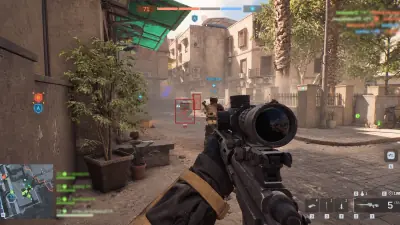
Desert gameplay view
Supplied Battlefield 6 gameplay screenshot from a dusty outdoor map.
More products
Pairs well with
Other tools from the same store, each with its own page and checkout.
FAQ
Questions about this page
Answers tied to what you are reading. Visit the FAQ page for every topic.
Blog
Related guides
Browse feature explainers, compatibility notes, product comparisons and practical setup checklists.

A clear overview of the documented BF6 Cheats controls, from Aimbot and ESP to target filters, crosshair settings and configs.

Compare the supplied $35 30-day option with the $150 lifetime option and the questions worth asking before checkout.
Understand the common Aimbot terms that appear in BF6 menus and see which controls are listed for BF6 Cheats.

A straightforward explanation of ESP, wallhack, boxes, skeletons, snaplines and distance labels in Battlefield 6 cheat menus.
Use this checklist to compare your Windows PC with the Battlefield 6 Cheats requirements listed in the current product source.
What the current Battlefield 6 anti-cheat and Secure Boot information means for people researching PC compatibility.
Battlefield 6 community forum
Read discussion
Archived, read-only threads on Battlefield 6 cheat features, PC requirements, pricing and update questions. Replies are closed.
- Features What is actually listed in BF6 Cheats? A reference thread for the documented aim, visual, crosshair and configuration controls.
- Features FOV, bones and visible check: how are these different? A terminology discussion for the aim controls listed on the BF6 product page.
- Features ESP and wallhack are not always the same label A plain explanation of boxes, skeletons, snaplines, health bars and distance labels.
- Buying Questions Is 30-day or lifetime access easier to compare? The current reference lists $35 for 30 days and $150 for lifetime access.